
Your Instagram profile grid is your digital storefront. And highlight covers are the first thing people notice when they visit your profile. Messy, inconsistent covers make you look amateur. Professional, cohesive covers increase profile visits and follower trust.
With Fonto, you have two options: use ready-to-use highlight cover packs from the Gallery (30 seconds) or create custom designs with glass labels and fonts (2 minutes). Both are free on Android & iOS.
1. Why highlight covers matter for your Instagram profile
According to social media benchmarks (2025-2026):
- Profiles with custom highlight covers get 35% more profile visits
- Consistent cover design increases follower trust by 42%
- Users spend 2x more time browsing highlights with professional covers
Your highlights are often the second thing people check after your bio. Don’t leave them with default Instagram screenshots.
2. Method 1: Use ready-to-use highlight cover packs (fastest – 30 seconds)
Fonto’s Gallery section contains hundreds of ready-to-use highlight cover packs. Each pack includes 10-20 cohesive covers with matching colors, fonts, and styles.
📦 What’s inside the Gallery:
- Premium cover packs – Professional designs for fashion, food, travel, fitness, beauty, and more
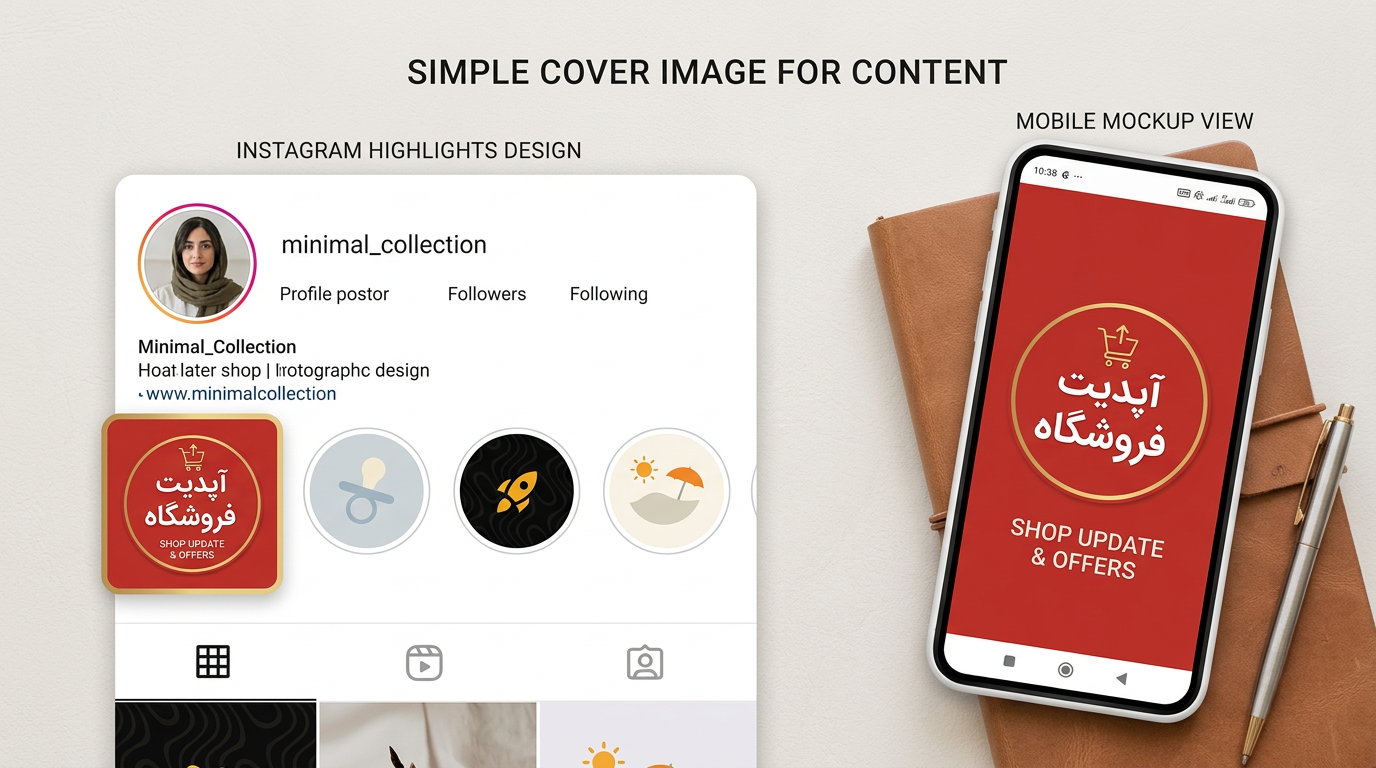
- Minimalist packs – Simple typography-based covers (like “minimal_collection” shown below)
- Seasonal packs – Christmas, Halloween, Summer, New Year, Valentine’s
- Glass packs – Frosted glass effect covers (matches Glass Morphe collection)
- Shop & offer packs – Perfect for businesses (“SHOP UPDATE & OFFERS” as seen below)
Step-by-step: Use a ready-made highlight cover pack
- Open the Fonto app on your Android or iPhone
- Tap on the Gallery icon at the bottom of the screen
- Browse through Highlight Covers category (look for “Highlight” or “Cover” tags)
- Choose a pack you like (e.g., “minimal_collection”, “Glass Highlight Pack”, or “Shop Update”)
- Tap on any cover to preview it
- Tap Export → Save to gallery (save all covers you need)
- Upload to Instagram using the instructions in Section 5 below
3. Method 2: Create custom glass label highlight covers
Want something unique? Create your own glass label covers using Fonto’s Glass Morphe collection. This gives you full control over text, color, and transparency.
Step-by-step: Custom glass label cover
- Open Fonto and tap on Labels section
- Scroll to Glass category – choose “Glass Pill” or “Glass Pill 2” (best for covers)
- Type your text (1-2 words max: “TIPS”, “SHOP”, “TRAVEL”)
- Adjust transparency slider to 40-60%
- Export as PNG (Save to gallery)
- Repeat for each cover you need – keep the style identical
4. Method 3: Create custom typography + icon highlight covers
Combine a custom font from Fonto’s library with an emoji or icon. This style is popular among top creators because it’s instantly recognizable.
Step-by-step: Typography + icon cover
- Open Fonto and tap on the Text/New button to start fresh
- Choose a bold font from Fonto’s library (sans-serif works best)
- Type your text – keep it short (4-6 characters max)
- Add an emoji before or after the text (e.g., ✈️ TRAVEL, 🛍️ SHOP)
- Adjust size – text should fill 60-70% of the canvas
- Export as PNG with transparent background (Save to gallery)
5. Popular highlight cover text ideas (ready to copy)
Here are the most-used highlight categories. Copy these directly into Fonto:
6. How to upload highlight covers to Instagram (all methods)
After exporting your covers from Fonto, follow these steps:
- Create a new Instagram story (any photo/video – you won’t post it)
- Tap the sticker icon (square smiley face) → Gallery sticker
- Select your PNG highlight cover from your gallery
- Resize to fit the full screen (pinch to zoom)
- Tap Your Story (don’t worry – you’ll archive it immediately)
- Go to your profile → tap “New” under Highlights
- Select the story you just created → name your highlight → tap “Add”
- Repeat for each cover
7. Comparison: Gallery packs vs. Custom designs
| Feature | Gallery ready-made packs | Custom designs |
|---|---|---|
| Time to create 5 covers | 30 seconds ✅ | 5-10 minutes |
| Design skill needed | None ✅ | Basic |
| Uniqueness | Shared with others | 100% unique ✅ |
| Matching your brand colors | Limited | Full control ✅ |
| Best for | Speed & convenience | Branding & originality |
8. Frequently asked questions (FAQ)
9. Download Fonto
Related tutorials:
📌 How to Change Font Style in Instagram Stories – Fonto Tutorial
📌 How to Create Glass Labels & Modern Stickers for Instagram Stories – Fonto Tutorial
Fonto – story font for IG | Professional highlight covers made easy | © 2026


Recent Comments