
You don’t need to search Pinterest or Instagram for backgrounds anymore. Fonto’s Background Gallery has 500+ trending backgrounds ready to use – updated daily.
Whether you need a minimalist gradient, a neon pattern, a floral texture, or a holiday theme, it’s all inside the Gallery. Just tap, export, and post.
1. What’s inside Fonto Background Gallery?
Fonto’s Gallery isn’t just a few backgrounds. It’s a constantly growing library:
- 500+ Trending backgrounds – Updated daily with what’s popular right now
- 50+ Categories – Gradients, neon, floral, grunge, pastel, dark mode, holidays, and more
- 9:16 Perfect size – All backgrounds are optimized for Instagram Stories and Reels (1080×1920)
- Free + Pro – Hundreds of free backgrounds. Pro unlocks premium packs
2. Gallery categories in Fonto
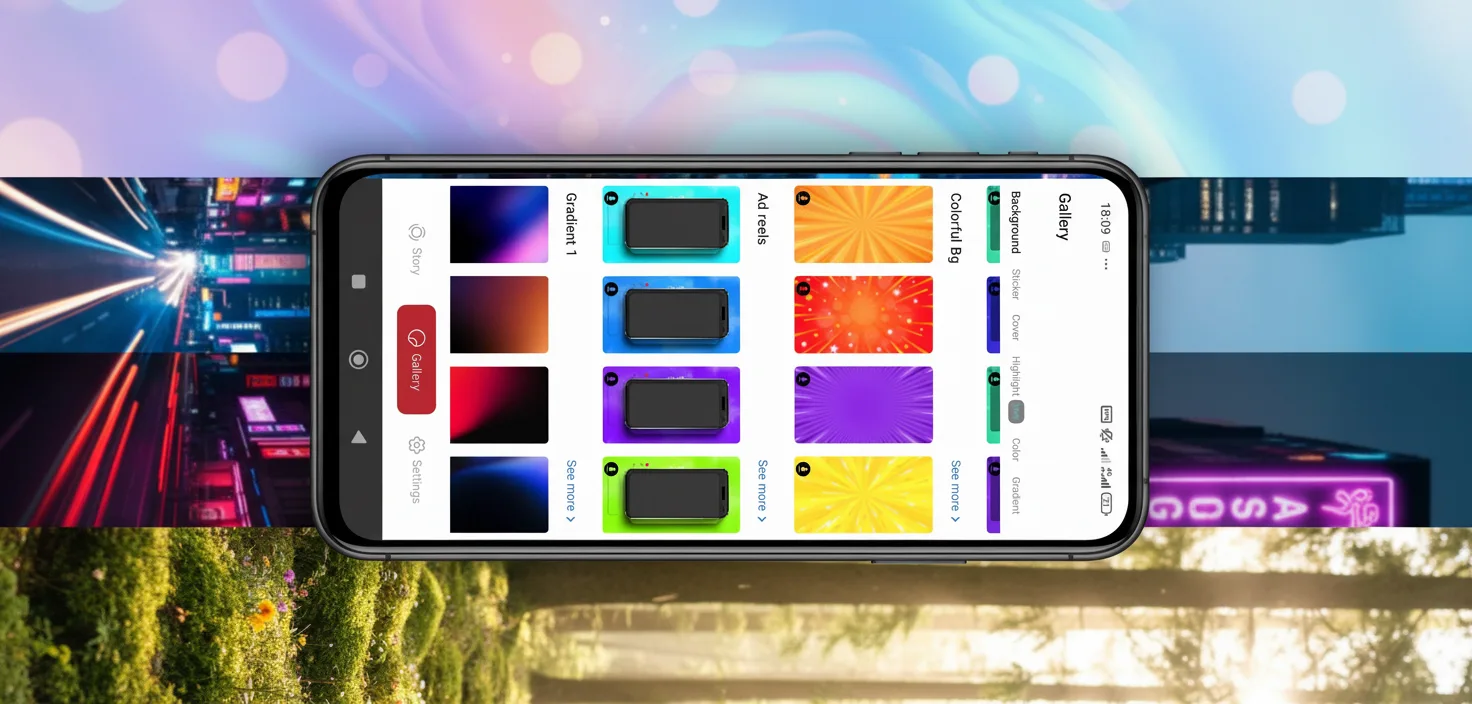
As you can see in the screenshot below, Fonto Gallery is organized into clear categories:
- Background – 500+ trending backgrounds for Stories and Reels
- Story Cover – Ready-to-use story cover templates
- Highlight Cover – Highlight cover packs (see our dedicated tutorial)
- Labels – Hundreds of label styles (glass, neon, matte, etc.)
3. Popular background categories in Fonto
🌈 Gradients
Smooth color transitions
💎 Glass & Frost
Frosted glass textures
✨ Neon
Bold, glowing colors
🌸 Floral
Flowers and nature
🖤 Dark Mode
Black and dark themes
🎄 Holiday
Christmas, Halloween, etc.
📸 Aesthetic
Vintage and pastel
🔊 Music
Concert and album art style
4. How to use backgrounds for Instagram Stories
Using a background from Fonto Gallery is incredibly simple:
- Open Fonto and tap the Gallery icon at the bottom
- Tap on Background category
- Browse through sub-categories (Gradients, Neon, Floral, etc.)
- Tap any background to preview it full-screen
- Add text, fonts, or labels on top of the background (optional)
- Tap Export → Save to gallery or Copy to clipboard
- Open Instagram Story → Paste or add as sticker → Post
5. How to use backgrounds for Reels
For Reels, backgrounds work best as full-screen images behind your text or as transition slides between clips.
- Choose a background from Fonto Gallery
- Export as PNG (Save to gallery)
- Open CapCut or InShot
- Import the background as an image layer (full screen)
- Add your video clips, text, or animations on top
- Export and post to Reels
6. Popular use cases for Fonto backgrounds
📢 Announcements & Sales
Use a bold neon or gradient background with “SALE” or “NEW” text. Grabs attention immediately.
🎂 Birthday & Celebrations
Festive backgrounds (confetti, balloons, sparkles) are in the Holiday category.
📝 Quotes & Affirmations
Minimalist or pastel backgrounds make quotes look elegant.
🛍️ Product Launches
Dark or glass backgrounds make product photos pop.
📅 Daily Updates
Use a fresh background every day. Takes 30 seconds.
7. Frequently asked questions (FAQ)
8. Download Fonto
Related tutorials:
📌 How to Change Font Style in Instagram Stories – Fonto Tutorial
📌 How to Create Glass Labels & Modern Stickers for Instagram Stories
📌 How to Make Instagram Story Highlight Covers – Fonto Tutorial
📌 How to Add Fonto Fonts to Instagram Reels – 3 Methods
Fonto – story font for IG | 500+ backgrounds, fonts & labels | © 2026


Recent Comments